
Silence is Dead: Why Google Veo 3 Just Ruined Other AI Video Tools for Me

Let’s be honest: generating AI video has felt a bit like watching a beautiful ghost. You type a prompt, and out comes a stunning, high-definition clip of a bustling New York street or a crashing ocean wave—but it’s completely silent. To make it usable, you have to spend hours hunting for stock audio or syncing separate sound files.
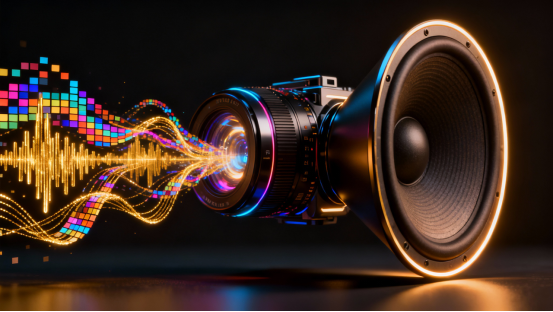
Google Veo 3 just fixed that. It didn’t just add a soundtrack; it gave the AI "ears."
By generating video and audio simultaneously, Veo 3 has shifted the industry standard from "Visual Generation" to "Reality Simulation." Here is why this model is currently the ultimate tool for content creators, and why the "silent era" of AI is officially over.
The Ghost in the Machine: How Veo 3 Actually Works
Most AI video models operate like a painter who is deaf—they focus only on pixels. Veo 3, however, is built on a multimodal architecture that understands the physical link between sight and sound.
1. The "Synesthesia" Engine (Video-to-Audio)
Think of Veo 3 as having "synesthesia"—a condition where seeing a color triggers a sound.
- The Principle: When Veo 3 generates a visual of a glass smashing on the floor, it doesn't just paint the shards. It analyzes the kinetic energy (how fast it fell), the material (glass vs. concrete), and the environment (small room vs. large hall).
- The Translation: It translates these visual "tokens" into audio waveforms instantly. It knows that a heavy boot stepping on dry leaves produces a specific low-frequency "crunch," while a sneaker on wet pavement produces a higher-pitched "squelch."
2. Spatiotemporal Continuity (The 3D Brain)
Older models treated video as a slideshow of images. Veo 3 treats video as a 3D volume over time.
- The Principle: It builds an internal 3D representation of the scene. If a character walks behind a pillar, the model "remembers" they are there.
- The Advantage: This prevents the dreaded "morphing" effect where objects disappear or turn into spaghetti when they move fast. It ensures that light sources (like a neon sign) reflect accurately on moving surfaces (like a wet car hood) frame by frame.
3. The Semantic Understanding (Google's Secret Weapon)
Leveraging Google’s massive Gemini language models, Veo 3 understands intent, not just keywords.
- The Principle: If you type "Cinematic lighting," it doesn't just make it bright. It understands "Cinematic" implies contrast, shallow depth of field (blurry background), and specific color grading (teal and orange), mimicking professional camera lenses.

Why Veo 3 is the Heavyweight Champion: Core Advantages
Veo 3 offers three distinct edges that distance it from competitors like Sora or Kling:
Advantage #1: Native Audio Synchronization (No More Lip-Sync Fails)
This is the killer feature. The audio isn't an overlay; it's genetically linked to the video. If a dog barks in the video, the sound aligns perfectly with the jaw opening. For creators, this means you can generate dialogue, ambient noise, and sound effects (Foley) in one pass, saving 80% of post-production time.
Advantage #2: High-Fidelity Physics Simulation
Veo 3 has an uncanny grasp of fluid dynamics and gravity. Water flows, splashes, and ripples exactly how you expect it to in the real world. Cloth folds naturally when a character spins. It stops feeling like a "dream" and starts looking like physics-based reality.
Advantage #3: Cinematic Camera Control
You are the director. Veo 3 understands technical film terms. You can command a "Dolly Zoom," a "Truck Left," or a "Rack Focus." It maintains the geometry of the scene while moving the "camera," creating professional-looking B-roll that integrates seamlessly with real footage.
Battle Testing: Real-World Scenarios in Action
We took Veo 3 out of the lab and into the daily workflow of a digital creative to see if it holds up under pressure.
Test A: The Coffee Shop Ad (Texture & Fluid Dynamics)
The Goal: A sensory-driven 15-second spot for a high-end espresso brand.
The Prompt:
"Macro shot, slow motion. Thick, golden espresso pouring from a portafilter into a ceramic cup. Steam rising in swirls. Sound of rich liquid pouring and the hum of an Italian espresso machine. Warm, morning sunlight hitting the bubbles."

- The Result: The visual viscosity of the coffee was perfect—thick and creamy, not watery. But the audio sold it. The deep, vibrating hum of the pump and the specific "gloop" of the liquid hitting the cup made the video instantly usable for social media ads without adding external sound effects.
Test B: The Remote Worker (Lip-Sync & Environment)
The Goal: A generic stock clip for a corporate presentation about remote work.
The Prompt:
"Medium shot of a young graphic designer in a home office, wearing a headset. She laughs and says, 'That sounds like a great plan, let's do it.' Natural window lighting. Audio of her voice is clear, with faint typing sounds in the background."

- The Result: The lip-syncing was shockingly accurate. The mouth movements matched the phonemes of the English words. Crucially, the "room tone" (the sound of silence in a room) felt natural, avoiding the eerie vacuum silence of older models.
Test C: The Sci-Fi Atmosphere (Lighting & Mood)
The Goal: Concept art for a video game trailer.
The Prompt:
"Cyberpunk alleyway, Tokyo, 2077. Heavy rain falling on neon-lit pavement. A cyborg walks away from the camera. Sound of heavy rain, distant thunder, and neon lights buzzing."

- The Result: The reflection of the pink neon lights on the wet ground shifted accurately as the camera moved. The audio provided a distinct "distance" contrast—the rain felt close and loud, while the thunder sounded far away, creating immediate spatial immersion.
Practical Guide: How to Prompt Like a Pro
To get the most out of Veo 3, you need to change how you write prompts. You are now a Sound Engineer too.
- The Formula:
[Subject] + [Action] + [Camera Movement] + [Audio Landscape] + [Lightingstyle] - Don't Ignore Audio: Always explicitly describe the sound. Instead of "A forest," try "A quiet forest with wind rustling the leaves and a distant owl."
- Use Film Terminology: Words like "Bokeh," "Anamorphic lens," and "Golden Hour" trigger higher quality outputs significantly.
Unlock the "Talkie" Era on XXAI
While Google's Veo 3 is revolutionary, accessing it can be a headache involving developer waitlists or expensive enterprise cloud setups.
XXAI cuts through the red tape.

We have integrated the full Veo 3 model directly into the XXAI platform, giving you instant access to this audio-visual powerhouse.
- Smart Prompting: Our built-in AI assistant helps you rewrite simple ideas into the complex, audio-rich prompts that Veo 3 loves.
- High-Speed Rendering: Skip the queue and generate production-ready assets in minutes.
- All-in-One Workflow: Generate your customized video, preview the sound, and download it—all in one place.
Stop making silent movies. Click here to launch Veo 3 on XXAI and finally let your creativity be heard.