
Master These 30 Universal Prompts and Create Stunning Images Effortlessly with Seedream 4
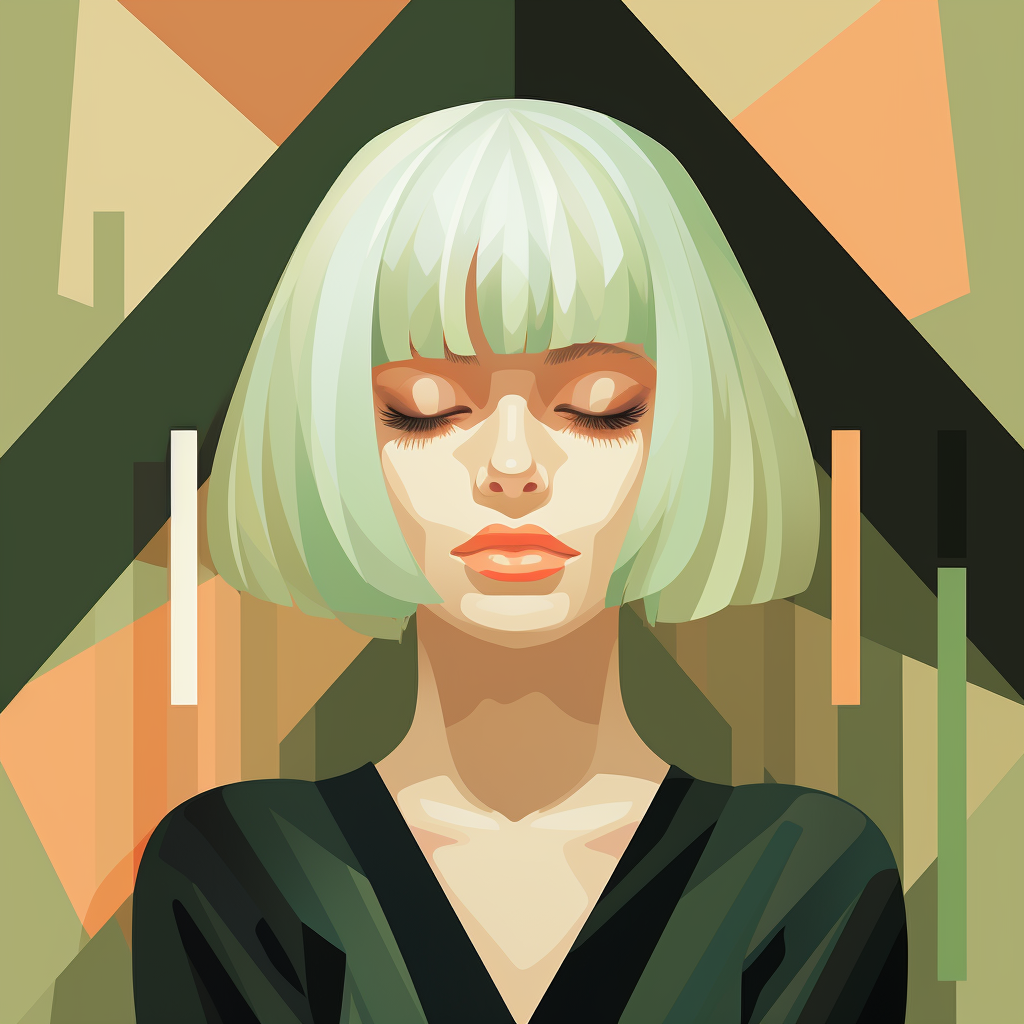
With AI image generation entering the Seedream 4 era, what truly determines the quality of your work is no longer technical know‑how but your mastery of prompts. A precise prompt lets the AI understand exactly what you want and produce visuals that surprise you. This article gives you 30 field‑tested universal prompt templates covering workplace scenarios, creative design, content creation, education, and more—helping you quickly grasp the core ways to use Seedream 4.
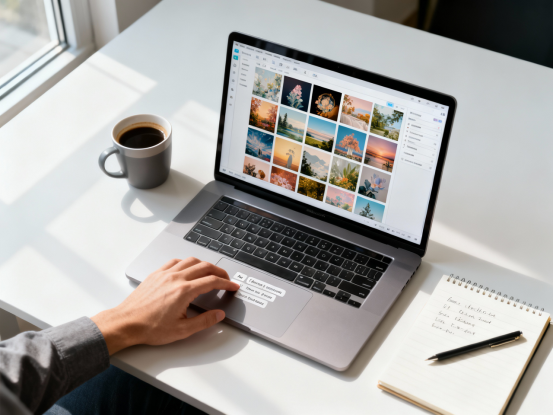
Why Seedream 4?
Seedream 4 brings three major breakthroughs to text‑to‑image generation. According to the official technical documentation, its prompt‑interpretation accuracy is up more than 40%, it supports 4K resolution output, and can generate a 2K image in under 2 seconds. More importantly, it adds natural language editing, allowing you to talk to the AI like you would in daily conversation: “remove clutter in the background” or “make the light softer,” and it executes precisely. Its multi‑image relational generation lets you easily create batches of visuals in a consistent style.

The Universal Prompt Formula: From Structure to Expression
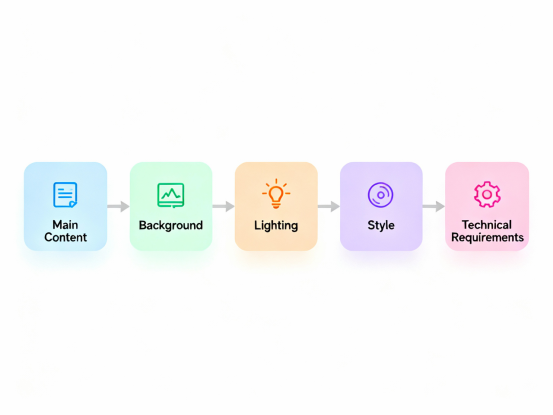
Before diving into examples, it helps to understand the basic structure of a high‑quality prompt. Strong prompts follow this logic:
Main subject + environment + lighting and mood + style + technical requirements
The main subject answers “what’s in the image,” and should be specific rather than vague. The environment sets up spatial context and surrounding elements. Lighting and mood define the emotional tone—warm and soft, or cool and sharp. Style determines the visual language—photorealistic or stylized illustration. Technical requirements include aspect ratio, resolution, depth of field, and other details.
The more precise your details, the higher the chance of generating the exact image you want. Compare “a room” with “a 25‑square‑meter bedroom, light gray walls, wood flooring, a double bed placed by the window, afternoon sunlight filtering through white curtains, Nordic minimalist style.” The second gives dimensions, materials, layout, lighting, and style, giving the AI clear direction.
When describing an emotional atmosphere, choose your adjectives carefully. Cozy, healing scenes call for soft lighting, warm tones, and comfortable environments. Professional, serious scenes benefit from clean lines, cool tones, and tidy layouts. Energetic, dynamic scenes need bright colors, action poses, and vivid lighting. These emotional cues help the AI shape the right feeling.
Workplace Prompt Library
Meeting scene template
Professional meeting room photo, team members seated around a modern conference table discussing, a projector screen on the wall displaying content, natural light from large windows, business photography style, clean and stable composition suitable for corporate use
You can easily adapt this by swapping “team discussion” with “product demo” or “training session,” and specifying projection content such as charts or product images.

Office space overview
Modern office environment from a top‑down view, tidy workstations with computer equipment, employees focused on tasks, green plants as accents, abundant natural light, minimalistic design, high‑definition quality suitable for website display
Replace “workstations” with “open workspace,” “private office,” or “creative studio,” and specify tools for different industries.
Product launch event
Stage design rendering for a launch event, spotlight illuminating the featured product, background LED screen showing visuals, audience seating in the foreground, professional stage lighting, 16:9 layout
Swap the “featured product” with any type of item and customize background visuals with brand elements.
Team culture showcase
Outdoor corporate team activity photo, members interacting on an open field, relaxed atmosphere, smart‑casual attire, natural lighting, documentary style capturing team spirit
You can switch the activity to team‑building games, outdoor challenges, or volunteer events.
Business cooperation scene
Indoor business negotiation setting, representatives shaking hands, city skyline through floor‑to‑ceiling windows, documents on the table, side lighting defining silhouettes, symbolizing successful collaboration
Adjust the number of people and background environment for different business occasions.
Data visualization
Transform raw data into clear visual charts using contrasting color palettes, bar or pie charts, with titles and legends, flat design style suitable for presentations
Specify chart types or use brand colors for consistency.
Professional portrait
Business portrait, half‑body shot, formal attire, confident expression, blurred solid background, soft lighting, natural skin texture, standard for corporate photos
Swap attire for uniforms or industry‑specific outfits.
Creative Design Prompt Library

Product photography
Product shot on a clean pedestal, complemented by relevant props, soft overhead lighting to minimize shadows, simple background to highlight the subject, commercial advertising standard, high‑detail rendering
Just replace “product” and choose suitable props based on its features.
Brand visual system
Brand system mockup showing multiple applications in a unified visual style, using brand colors, overhead layout, consistent design language, suitable for brand manuals
Insert packaging, business cards, bags, cups, or other branded items.
Poster design
Vertical event poster, main visual element as focal point, prominent title text, clear information hierarchy, style matching event tone
Can be used for product launches, exhibitions, performances, or promotions.
Packaging mockup
Packaging design display showing both opened and closed states, placed on a textured surface, angled for a 3D look, lighting highlighting material quality, commercial photography standards
Customize packaging materials and surface textures.
Interior space rendering
Interior design concept image with clear functional zones, cohesive color palette, scale‑appropriate furniture, comfortable lighting, defined style
Use for living rooms, bedrooms, offices, stores, galleries, and more.
Illustration template
Theme illustration with main character or element centered, background enhancing mood, color palette suited for target audience, defined art style, expressive composition
Specify style such as watercolor, flat, line art, or painterly.
Typography design
Text layout design using a specific font style, decorative graphic elements, balanced composition, colors matching theme, suitable for different applications
Use for menus, signs, posters, covers, etc.
Content Creation Prompt Library

Article header image
Article‑themed illustration emphasizing core idea, simple composition, color tone matching content mood, reader‑friendly style, horizontal orientation for easy embedding
Insert themes like tech, education, health, finance, etc.
Video thumbnail
Video thumbnail with a close‑up of the key visual, blurred background for emphasis, space for text, high saturation for attention, standard 16:9 ratio
Swap the key visual to suit your video type.
Social media image
Social media visual showing the subject from multiple angles, clean background, natural lighting, unified style, sized for specific platforms
Adjust style for Xiaohongshu, Instagram, or WeChat Moments.
Marketing poster
Vertical mobile poster for promotions, attention‑grabbing top section, clear key info in the middle, strong call‑to‑action at the bottom, bold color contrast
Adapt for new product launches, membership campaigns, or course promotions.
Short‑form video scenes
Set design for short videos, key shots showing operations or demonstrations, shallow depth of field, lighting suited to the theme, framed for vertical video
Swap “operation” with tutorials, product demos, lifestyle scenes, etc.
Mixed text‑image layout
Content layout combining text and images, balanced arrangement, smooth visual flow, comfortable spacing, consistent style
Useful for long‑form content, ebooks, brochures, and more.
Live streaming setup
Livestream set design with host area and product zone, thematic background, proper lighting, atmosphere matching stream type
Use for e‑commerce streams, educational talks, talent shows, and others.
Education Prompt Library

Teaching diagram
Teaching illustration clearly showing core concepts, labeled supporting graphics, color‑coded layers, style suited for learners
Swap with geometry, experiments, chemical structures, biological systems, etc.
Process visualization
Process flow diagram with clear steps, arrows indicating direction, color and shape to aid understanding, clean infographic style
Useful for experiments, workflows, operations, or timelines.
Historical scene recreation
Illustrated scene from a historical period with accurate details, clothing, props, and environment, muted tones for historical feel
Specify time period, region, and event.
Experiment walkthrough
Step‑by‑step experiment guide showing key actions, safety notes, numbered sequence, clean educational style
Useful for physics, chemistry, biology, or everyday skills.
Knowledge map
Mind map with central topic and branching structure, clear hierarchy, color‑coded modules, plenty of white space
Great for reading notes, course outlines, project planning, and knowledge organization.
Study flashcards
Flashcard design with visual key info on the front and explanations on the back, learning‑friendly colors, printable or digital size
Useful for languages, concepts, vocabulary, and memorization.
Academic charts
Research‑grade charts with proper axes, labels, legends, professional color use, compliant with academic standards
Choose chart types based on your data.
Lifestyle Prompt Library
Family photo enhancement
Family activity photo with natural interactions, tidy and cozy setting, soft lighting, background clutter removed, documentary style
Works for meals, celebrations, trips, or daily life.
Pet photography
Pet action shot capturing expressive moments, blurred background, natural light showing fur texture, composition highlighting personality
Use for cats, dogs, rabbits, birds, and more.
Food photography
Food styling photo with coordinated tableware, top‑down or 45‑degree angle, natural light emphasizing colors, social‑media‑ready style
Customize cuisine, dish type, or table setting.
Holiday greeting design
Holiday greeting card with festive elements, color palette matching the celebration, space for text, warm cheerful mood
Adapt for Lunar New Year, Mid‑Autumn, Christmas, birthdays, etc.
Travel photo enhancement
Optimized travel photos, strengthened scene features, adjusted lighting and tone, highlight iconic landmarks, printable or shareable quality
Specify landscapes, cityscapes, or cultural sites.
Hobby community visuals
Themed community cover image, relevant elements building atmosphere, matching color tone, space for text, appealing to target group
For book clubs, fitness groups, craft circles, food communities, etc.
Personal portrait
Casual portrait with natural lighting, relaxed expression, clean background, suitable for social media
Specify indoor, outdoor, work, or leisure settings.
Advanced Techniques: Make Your Prompts Smarter
Once you’ve mastered the basics, a few advanced skills can take your prompts further.
When using multiple reference images, clearly define what each is for. A standard format is: Image 1 for composition, Image 2 for color scheme, Image 3 for lighting. Clear separation prevents confusion.
For batch‑generated series, set the fixed base elements and variable attributes. For example: “Keep the shape, size, and logo placement identical; only change the color to red, blue, green, and yellow.” This ensures consistency while allowing variation.
For complex creative ideas, generating step by step works better than doing everything at once. Start with a base image, then use natural language edits to add or change elements. This gives you more control.
Style references are shortcuts to a consistent visual tone. Terms like “commercial advertising photography,” “watercolor illustration,” or “flat design style” help the AI apply the right visual language instantly.
Start Creating with Seedream 4 on XXAI

To put these prompts into practice, the XXAI offers an ideal workspace. It integrates Seedream 4, Nano Banana, and other top AI image models, allowing you to compare results in one interface. Each user gets 100 free credits daily—enough to try what you want in this article. Built‑in prompt libraries help beginners get started quickly, while experienced users can tweak templates and explore their own creative direction.
Starting today, use these 30 universal prompts to begin your AI‑powered creative journey. Whether you’re producing visuals for work, marketing materials for a brand, or enhancing personal photos, mastering the art of prompts gives you creative control in the age of AI.