
Turn Your Wildest Daydreams into 1080p Reality: The Non-Boring Guide to Mastering Hailuo 02
Let’s be honest: most AI-generated videos still look like a fever dream. You ask for a cat running, and you get a cat melting into the pavement. You ask for a person eating, and the fork disappears into their nose. It’s funny, but it’s not exactly "professional."
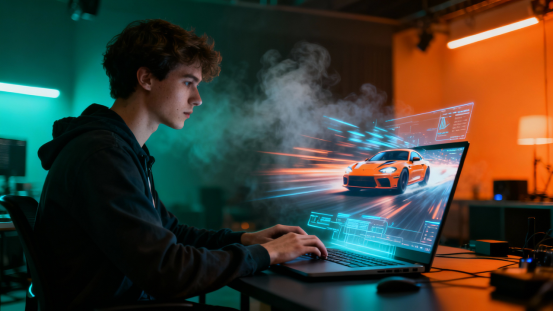
Enter Hailuo 02. If other AI models are surrealist painters, Hailuo 02 is a physics professor with a cinema camera. It understands gravity, friction, light refraction, and how human bodies actually move. It’s currently one of the few tools that can produce results rivalling the big players like Sora or Gen-3, but you can actually use it right now.
This isn't a boring technical manual. This is your cheat sheet to becoming a digital director. We are skipping the fluff and diving straight into the "copy-paste" gold that will make your social media feed or client presentation look like a million-dollar production.
The "Copy-Paste" Vault: 16+ Prompts for Every Scenario
We have curated a collection of prompts that leverage Hailuo 02’s superior understanding of motion and texture. No need to overthink—just grab the one you need, tweak the subject, and hit generate.
Social Media & Lifestyle
The "Morning Aesthetic" Vlog Opener
Prompt: POV shot, handheld camera movement. Waking up in a cozy, sun-drenched bedroom with white linen sheets. A hand reaches out to part the sheer curtains, revealing a stunning view of a Parisian street below. Dust motes dancing in the sunlight, high dynamic range, dreamy atmosphere.
The Cinemagraph Food Shot
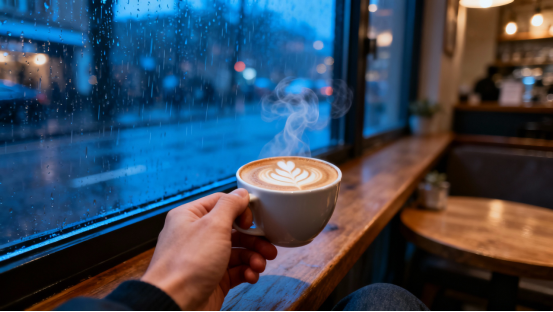
Prompt: Extreme close-up, macro lens. Steam rising gently from a fresh cup of artisan coffee on a rustic wooden table. The coffee surface ripples slightly. In the background, a blurred rainy window. 4k resolution, cozy vibes, realistic texture.
Fitness & Energy
Prompt: Low angle tracking shot. A runner sprinting on a wet asphalt track at night. Raindrops hitting their face, muscles tensing with every stride. Streetlights reflecting on the puddles. Slow motion playback to emphasize the power and intensity. Nike commercial style.
Luxury Travel Memories
Prompt: Drone shot, flying low over a turquoise tropical ocean, approaching a white sandy beach. The water is crystal clear, revealing coral reefs below. Palm trees swaying in the wind. Bright natural lighting, travel documentary style, 60fps.
Cute Pet Interaction
Prompt: Eye-level shot. A Golden Retriever puppy catching a tennis ball in mid-air on a green lawn. Ears flapping, eyes wide with excitement. Grass blades flying up. Shallow depth of field keeping the background blurred. High shutter speed look.
Business & Product Marketing
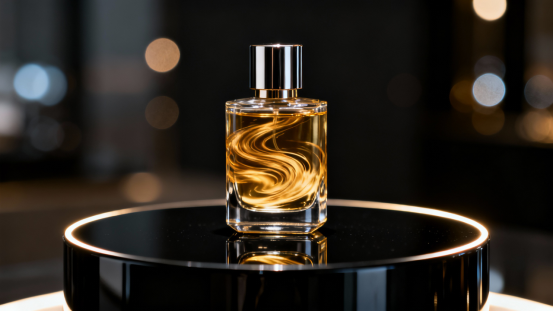
- Tech Product Reveal
Prompt: Studio lighting, black background. A sleek smartphone spinning slowly in mid-air. Rim lighting highlights the metallic edges. The screen lights up with a futuristic holographic interface. Clean, minimalist, premium tech commercial aesthetic.
- Fashion Editorial
Prompt: Medium shot. A fashion model walking down a busy New York street, wearing a flowing red silk dress. The fabric moves realistically with the wind. The crowd is blurred in motion in the background. Cinematic color grading, high fashion photography style.
- Real Estate Walkthrough
Prompt: Smooth gimbal shot walking through a modern luxury living room. Floor-to-ceiling windows, marble floors reflecting the furniture. The camera pans slowly to reveal an open-concept kitchen. Bright, airy, architectural digest style.
- Automotive Dynamic Shot
Prompt: Tracking shot alongside a silver sports car driving on a coastal highway at sunset. Reflections of the orange sky on the car hood. Motion blur on the road and wheels. Realistic car physics, fast-paced atmosphere.
- Skincare Texture Showcase
Prompt:Macro shot. Clear gel moisturizer being pumped onto a pristine surface. The texture is bubbly and hydrating. Soft, diffused lighting creates a pure and clean look. High fidelity, medical-grade aesthetic.```
Creative & Cinematic Visuals
Sci-Fi Cyberpunk City
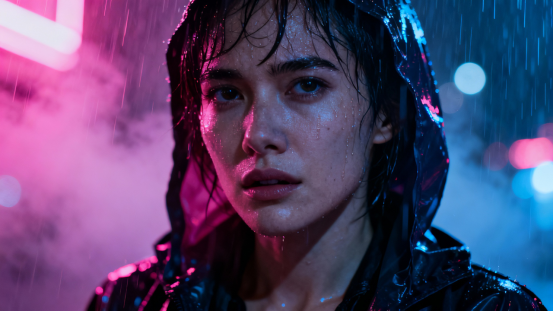
Prompt: Wide angle establishing shot. A futuristic city at night, drenched in neon pink and blue rain. Flying cars weaving between skyscrapers. Holographic billboards flickering. Blade Runner 2049 aesthetic, volumetric fog, moody atmosphere.
Fantasy World Building
Prompt: Panning shot across an enchanted forest. Giant glowing mushrooms, fireflies floating in the air. A mystical deer with branches for antlers steps into the frame. Unreal Engine 5 render style, magical and ethereal.
Emotional Narrative
Prompt: Close-up on an astronaut’s helmet. Reflections of a burning planet seen in the visor glass. The astronaut is breathing heavily, fogging up the glass slightly. Intense emotion, dramatic lighting, cinematic movie scene.
Abstract Background (For Text Overlay)
Prompt: Slow motion liquid explosion. Ink of different colors (gold, black, white) mixing in water. Swirling patterns, fluid dynamics. High contrast, abstract art style, suitable for presentation backgrounds.
Historical/Period Piece
Prompt: Street level view of 1920s London. Cobblestone streets, vintage cars, people in period clothing walking in the fog. Gas lamps glowing yellow. Peaky Blinders style, desaturated color palette, cinematic grain.
Music Video Vibez
Prompt: Fish-eye lens. A drummer playing vividly in a dark room with strobe lights flashing in sync with the beat. Sweat flying off the drumsticks. High energy, chaotic, grainy film texture.
The Director’s Toolkit: Secret Modifiers for Pro Results
If you want to move beyond the templates and create your own masterpieces with Hailuo 02, you need to speak the language of cinematography. Adding these specific terms to your prompt acts like a "cheat code" to force the AI to improve quality.
1. Mastering Light (The Soul of Video)
- Volumetric Lighting / God Rays: Use this to create those beams of light cutting through dust, smoke, or fog. It adds instant depth and drama.
- Rim Lighting / Backlighting: Crucial for separating your subject from the background. It creates a glowing outline around a person or product, making it look professional.
- Golden Hour: The magic hour just after sunrise or before sunset. guarantees soft, warm, flattering light.
- Cyberpunk / Neon Lighting: Forces high-contrast, colorful lighting (pinks, blues, purples) typical in modern music videos or tech demos.
- Subsurface Scattering: A must-have for portraits or food. It simulates how light penetrates translucent surfaces like skin, wax, or grapes, preventing them from looking like plastic.
2. Camera Movement (The Dynamic Factor)
Hailuo 02 understands 3D space. Don't just let the camera sit there; move it.
- Dolly Zoom (The Vertigo Effect): The camera moves forward while zooming out. This creates a disorienting, dramatic warping effect perfect for realizing a shocking realization.
- SnorriCam / Chest-Mount: The camera is rigged to the actor's body, facing them. The background moves wildly while the actor stays stable. Great for showing panic, drunkenness, or intensity.
- Rack Focus: The focus shifts from an object in the foreground to something in the background (or vice versa). Excellent for storytelling and directing the viewer's eye.
- Low Angle / Worm’s Eye View: Makes the subject look powerful, giant, or imposing.
- FPV Drone Fly-through: High speed, banking turns, flying through tight gaps. Perfect for landscapes or action sequences.
3. Textures and Physics (The Realism Booster)
- Fluid Dynamics: Use this when generating water, smoke, or fire. It forces the AI to calculate realistic flow rather than random morphing.
- Cloth Simulation: If you have a model walking, add this to ensure the dress or coat moves like fabric (heavy or light) rather than a solid block.
- Chromatic Aberration: Adds a slight color fringing at the edges of the frame. It mimics real-world camera lens imperfections, making the CGI look more like "real footage."
- Film Grain / VHS Glitch: Adds texture to clean digital images, giving them a retro or analog feel.
Why Start Your Directorial Career on XXAI?
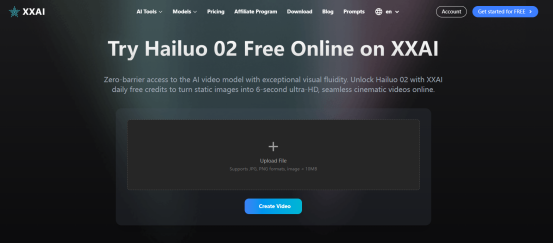
You have the prompts, and you have the technical knowledge. Now you need the studio. While you can find Hailuo 02 in various places, XXAI is quickly becoming the go-to workflow hub for serious creators.
The "Flux-to-Video" Pipeline
The secret to the best AI videos is often a perfect starting image. XXAI hosts the Flux image model (currently the king of realism) alongside Hailuo 02. You can generate a stunning, physically accurate image in Flux, and then instantly animate it with Hailuo 02 in the same dashboard. No downloading, no uploading, no switching tabs. It is a seamless creative loop.
Enterprise-Grade Speed without the Wait
Rendering high-resolution video is resource-intensive. XXAI provides high-priority access to GPU clusters, meaning you aren't stuck in a queue for 20 minutes just to see a 5-second clip. Speed matters when you are iterating on ideas.
A Sandbox for Experimentation
Let's face it: your first prompt might not be perfect. You need to tweak the camera angle or adjust the lighting. XXAI’s credit system is designed to be forgiving, allowing you to experiment with different "Director’s Toolkit" modifiers we discussed above without breaking the bank.
Don't let your ideas stay static. Head over to XXAI, grab one of the prompts above, and watch your imagination obey the laws of physics—in glorious 1080p.