
Gemini 2.5 Flash Complete Action Guide: Prompt Strategies from Text Generation to Image Editing

Introduction: Why You Need to Relearn "Prompts"

In today's rapidly evolving AI landscape, Google's Gemini 2.5 Flash is becoming the go-to choice for developers and creators thanks to its impressive response speed, native multimodal capabilities, and competitive pricing.
Yet many people still treat it like a basic chatbot when they open the dialogue box.
"Write me some copy."
"Draw a cat."
If these are your prompts, you're only tapping into 10% of its potential. What sets Gemini 2.5 Flash apart from traditional models is its native multimodal architecture—it can simultaneously "see" images, "read" text, and "write" code, just like humans do.
This tutorial breaks down prompt strategies across three key domains: Text, Image, and Code, helping you level up from AI novice to Prompt Engineer.
Text Generation—From "Commands" to "Chain of Thought"
Gemini 2.5 Flash features a million-token context window, meaning it can handle not just short pieces but lengthy documents. To harness this power, you need to shift from simple "commands" to structured "guidance."

1. Core Formula: Role + Context + Task + Constraints + Output Format
Unlike GPT-4's logical reasoning strengths, Gemini Flash excels at rapid information processing. This means your prompts need to be more direct and structured.
Real-World Example: Efficient Weekly Report
Poor Prompt:
Write me a weekly report. I worked on Project A and Project B this week.
Optimized Prompt (Ready to Copy):
Role: You're a senior project manager skilled in OKR-based and data-driven work reporting.
Context: This week I primarily advanced the "Customer Management System Refactoring" project (80% complete) and "Q3 Marketing Campaign Planning" (just launched).
Task: Write a weekly report.
Constraints:
- Professional, concise tone—avoid generic narratives.
- Highlight "blockers encountered" and "support needed."
- Quantify each work item's results (e.g., improved response speed by X%).
Output Format: Markdown table with sections: "This Week's Progress," "Key Metrics," "Next Week's Plan," "Risk Alerts."
2. Long Document Analysis: Leveraging the Long Context Window
Prompt Strategy: Don't ask it to "summarize everything"—ask it to "extract specific information."
Prompt:
"Read this uploaded 50-page industry report PDF (Gemini supports direct document reading). Skip the standard market background and extract only 3 specific cases about 'AI applications in healthcare.' Analyze the business monetization model for each case. List key points directly—no fluff."
Image Generation and Editing—Direct Like a Filmmaker
Gemini 2.5 Flash's (including its image generation capability, codenamed Nano-Banana) biggest strength lies in image generation and precise editing. Unlike Midjourney's bizarre parameters (like --v 6), Gemini understands natural language better.
1. Golden Rule: Describe the Scene, Don't Just Stack Keywords
Official data shows that descriptive paragraphs achieve 73% better results than keyword stuffing.
Real-World Example: Product Poster
Poor Prompt:
Perfume bottle, flowers, sunlight, premium, 4k.
Optimized Prompt (Describe Like a Novel):
"Generate a minimalist product photography image. The center features a transparent pale pink perfume bottle with diamond-cut facets. It sits on a rough natural white marble slab. The background is a blurred morning garden with golden sunlight streaming from the upper right at a 45-degree angle, casting long, warm shadows behind the bottle. Overall color palette: soft cream and rose gold, creating a luxurious, romantic atmosphere."
Technique Breakdown:
- Subject: Transparent pink perfume
- Environment: Marble, morning garden
- Lighting: Upper right 45-degree backlight (crucial for texture)
- Style: Minimalist product photography

2. Secret Weapon: Conversational In-Painting
This is Gemini 2.5 Flash's killer feature. No Photoshop skills needed—just modify images through multi-turn dialogue.
Workflow:
- First round: "Generate a photo of a modern office with a laptop on the desk."
- Second round (edit instruction): "Replace the laptop with a vintage potted plant, keeping the lighting consistent."
- Third round (style transfer): "Change this image to cyberpunk style, add neon lighting effects."
Note: Your prompts should include clear spatial logic like "replace A with B" or "add Y at X position."
Code and Logic—The Programmer's "Second Brain"
For code generation, Gemini 2.5 Flash is known for speed, making it ideal for code explanation, debugging, and script writing.
1. "Context Injection" for Code Generation
Don't just provide error messages—include code snippets.
Real-World Example: Python Data Cleaning Script
Prompt:
"I'm using Python's Pandas library to process an Excel file.
Requirements:
- Read data.csv.
- Check the 'Sales' column—if there are missing values, fill them with the column's mean.
- Convert the 'Date' column to standard datetime format.
- Output the code with Chinese comments on each key line, explaining why it's necessary.
Note: Consider memory optimization for large datasets."
2. Logic Troubleshooting and Bug Fixes
Prompt:
"This JavaScript code doesn't respond when the button is clicked (code attached). Like a senior frontend engineer, troubleshoot following these steps:
- Analyze potential syntax errors.
- Check event listener binding logic.
- Provide the complete corrected code with explanations for changes."

Multimodal Synergy—Advanced Image + Text Workflows
Gemini 2.5 Flash's greatest strength is its ability to "read images." This massively boosts productivity for non-image workflows.
Scenario: Frontend UI Reconstruction
You're a developer. The designer sends a screenshot. You want to quickly generate code.
Prompt (upload webpage screenshot):
"As a frontend expert, analyze this webpage design. Generate code to recreate this page using Tailwind CSS and React.
Requirements:
- Accurately identify the color scheme in the image (extract Hex values).
- Layout structure should use Flexbox or Grid.
- Buttons should have hover effects."
Scenario: Data Chart Analysis
You have a complex quarterly financial bar chart and need quick insights.
Prompt (upload chart):
"Analyze this Q3 sales trend chart. Identify the fastest-growing month and, based on data fluctuations, hypothesize possible reasons (e.g., correlation with the marked '11.11 Sale' event). Generate a 100-word summary for the CEO."
Prompt Optimization Pitfall Guide
When using Gemini 2.5 Flash, avoid these mistakes:
- Too vague: Avoid subjective terms like "nice-looking" or "interesting." Use "high-saturation colors" or "satirical humor style" instead.
- Ignoring multi-turn dialogue: Flash has excellent memory. If the first result isn't satisfactory, don't start over—say: "Keep the composition, just darken the tones a bit."
- Mixed languages: While it supports multiple languages, specifying "explain in Chinese" or "keep English variable names" improves accuracy when generating specific code or technical terms.
Unlock Gemini 2.5 Flash's Ultimate Experience on the XXAI Platform
After reading these strategies, you're probably eager to try Gemini 2.5 Flash's powerful text and image generation capabilities. But how do you seamlessly switch between models, manage your prompt library, and get a more stable connection—all in one interface?
XXAI provides the perfect solution.
Why Use Gemini 2.5 Flash on XXAI?
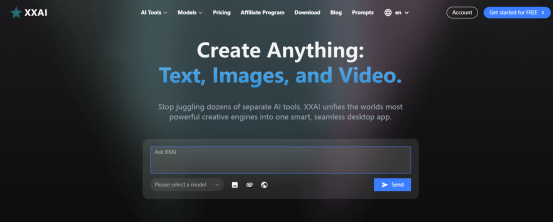
One-Stop Integration: XXAI integrates Gemini 2.5 Flash, Gemini 3.0, GPT-5, Claude 4.5, and other world-class models. You can compare different models' responses to the same question and find the optimal solution.
Use This Article's Prompts Directly: XXAI comes with a rich Prompt template library. We've pre-loaded prompts mentioned in this article—"weekly report generation," "code cleaning," "photography-grade image descriptions"—ready to use with one click, no typing required.
Exceptional Value: Through XXAI's aggregated channels, you gain flexible access to these large model capabilities without juggling multiple subscription services.
Boost your productivity now! Don't let AI's potential remain theoretical. Visit XXAI, input the prompts you've learned from this article, and experience the productivity revolution Gemini 2.5 Flash brings!
Take action and make AI your most capable assistant.