
Seedream USO Free AI Prompts Collection: Master Unified Style Subject Creation
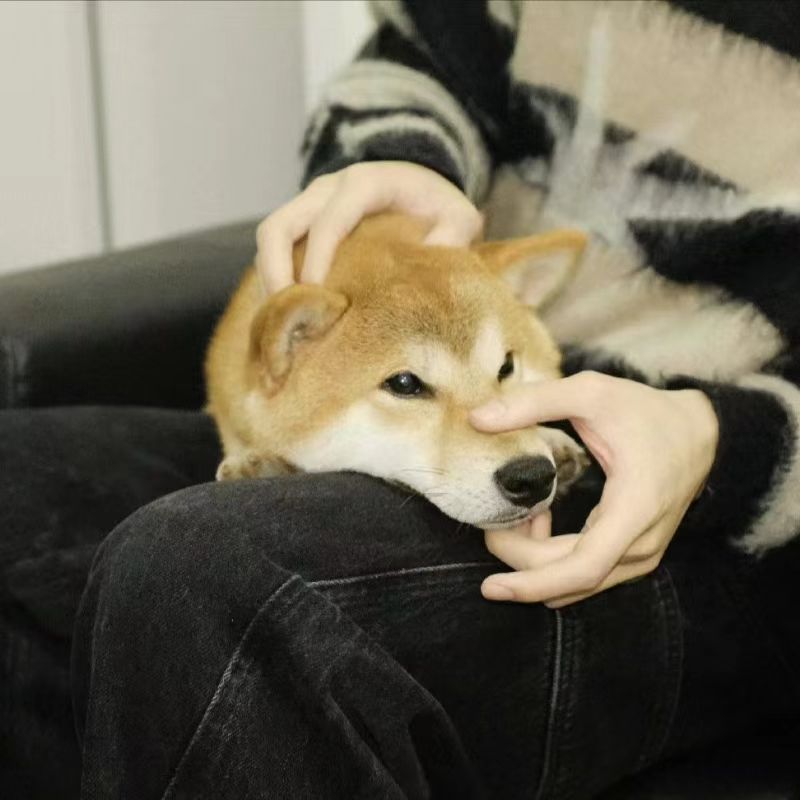
Ever tried creating a character that looks consistent across different scenes? Or wanted to apply your brand's unique visual style to hundreds of images without manually editing each one? That's exactly where Seedream USO shines.
Seedream USO has quickly become a game-changer for designers, marketers, and creators who need their subjects—whether it's a character, product, or logo—to look cohesive across different styles and scenarios. No more wrestling with inconsistent results or spending hours trying to match aesthetics manually.
In this guide, you'll discover:
● What Can Seedream USO Actually Do?
● How to start using it for free
● A curated list of ready-to-use prompts you can copy and adapt right away
Let's jump in.
What Can Seedream USO Actually Do?
Here's what sets it apart:
Keep Your Subject Recognizable Whether it's a person, character, product, or logo, USO maintains the core identity across every generation. Your cat stays your cat, even when rendered as a cyberpunk warrior.
Apply Any Style You Want Photorealistic, anime, watercolor, 3D render, abstract—you name it. USO adapts your subject to match the aesthetic without losing what makes it unique.
Combine Subject + Style Seamlessly This is the killer feature: you get both in one shot. No more generating an image and then running it through another tool for style transfer.
High-Quality, Professional Results The outputs are sharp, coherent, and detailed enough for real-world use—presentations, marketing materials, social media, you name it.
Smart Refinement USO uses something called "style reward learning" to automatically balance style accuracy with subject integrity. Translation: it gets better at understanding what you want over time.
Multiple Variations, One Subject Need your character in 10 different poses or environments? USO can generate multiple variations while keeping everything visually consistent.
Open-Source Flexibility Developers can fine-tune it, add custom styles, or integrate it into their own apps. It's not a black box.
Handles Batch Creation Building a complete visual system? USO can efficiently generate large sets of images, perfect for brand libraries or storytelling projects.
When Should You Actually Use Seedream USO?
Let's talk real use cases. Here's where USO genuinely saves time and delivers results that would be hard to achieve otherwise:
1. Character Consistency for Storytelling
You're creating a comic, children's book, or animation storyboard. You need your protagonist to look the same across 50+ scenes—different angles, lighting, emotions, backgrounds.
Traditional approach: Redraw or manually edit each frame USO approach: Feed your character once, generate variations with different prompts
Example: "A young girl with red curly hair and freckles, standing in a forest / sitting at a desk / running through rain"
2. Brand Identity Across Multiple Styles
Your brand has a mascot or signature visual element. You need it adapted for different campaigns: minimalist for web, detailed for print, playful for social media.
Traditional approach: Brief multiple designers or spend hours in different tools USO approach: One subject image + different style references = instant brand system
Example: Corporate mascot → flat design style, 3D render style, hand-drawn sketch style
3. Product Visualization in Different Contexts
E-commerce or marketing teams need the same product shown in various settings: lifestyle photos, technical renders, artistic shots for Instagram.
USO approach: Upload product photo, apply style references like "cozy home interior" or "futuristic tech showroom"
4. Concept Art Variations
Game developers or creative teams exploring different art directions for the same character or environment.
Example: Medieval knight character → rendered in anime style, realistic AAA game style, pixel art style, watercolor concept art
5. Personal Branding for Creators
Content creators who want a consistent visual identity across platforms but need flexibility for different content types.
Example: Your profile photo → LinkedIn professional style, YouTube thumbnail dramatic style, Instagram aesthetic style
Pro Tips for Better Seedream USO Prompts
- Subject Image Quality
- Clear, well-lit, neutral background
- Sharp focus, minimum 512x512 (1024x1024 ideal)
- Seedream USO Prompts work best with clean input Example: Good → centered photo, even lighting; Bad → grainy selfie, cluttered background
- Style Reference vs Text Description
- Upload a reference image for precise style
- Or describe the style in text for flexibility
- Best: combine both → reinforces your Seedream USO Prompts
- Effective Prompt Structure Use this pattern: Subject + Pose/Action + Environment + Lighting + Mood + Technical Details Example: "Young woman with short black hair, sitting cross-legged, cozy library, warm sunlight, peaceful mood, soft-focus background" This is the core of strong Seedream USO Prompts.
- Iteration Strategy
- First generation → basic prompt
- Analyze results
- Refine prompt → add details to fix issues
- Test variations → one element at a time
- Save successful prompt → reusable Seedream USO Prompts
- Consistency Tricks
- Same subject image for variations
- Keep core descriptors identical (age, hair color, features)
- Specify what stays the same
- Use seeds if available → locks certain elements
Common Pitfalls
❌ Too many styles → pick one clear direction
❌ Vague subjects → describe clearly
❌ Ignore negative prompts → use them: “No distorted faces, No extra limbs, No blurry details”
Following these tips ensures strong, reliable Seedream USO Prompts every time.
Seedream USO Prompt Library
Here's where it gets practical. Below are tested, ready-to-use prompts organized by category. Each includes:
1. Character Consistency for Storytelling
Seedream USO excels at generating expressive, story-driven scenes while keeping the character’s facial structure, silhouette, and artistic style completely consistent.
Prompt Template:
A consistent illustration of the character from the reference image, keeping facial features, hairstyle, and silhouette unchanged. Add a clear emotion, narrative environment, and defined lighting while maintaining the original artistic style and polished rendering.
Use Cases
- Graphic novels
- Children’s books
- Storyboards
- Narrative posters
2. Brand Identity Across Multiple Styles
Brands often require their mascots to appear in different styles without losing recognizability. Seedream USO handles this transformation reliably.
Prompt Template:
Transform the brand mascot from the reference image into a new artistic style while retaining its defining shapes, proportions, and expression. Ensure visual consistency suitable for branding.
Use Cases
- Social media campaigns
- Logo/mascot packs
- Brand refresh projects
- Marketing visuals
3. Product Visualization in Different Contexts
Seedream USO maintains the exact form and textures of products while placing them in new contextual scenes.
Prompt Template:
An accurate depiction of the referenced product with unchanged shape, materials, and colors. Place it in a lifestyle, commercial, seasonal, or conceptual environment with appropriate lighting.
Use Cases
- E-commerce
- Lifestyle product photos
- Holiday promotions
- Studio-like visuals
4. Concept Art Variations
Concept artists can efficiently explore alternative styles and thematic variations of the same character or object.
Prompt Template:
A variation of the referenced concept that preserves the core silhouette but experiments with style, genre, or mood. Add cinematic lighting and professional concept art detailing.
Use Cases
- Character design
- Costume iterations
- Genre shifts
- Environmental tone studies
5. Personal Branding for Creators
Creators need consistent, stylized, high-recognition portraits. USO keeps identity intact while adapting style.
Prompt Template:
A stylized portrait based on the reference, preserving facial structure and key features. Render in a specific branding style while ensuring clarity at small sizes.
Use Cases
- Profile icons
- Personal websites
- Streaming/YouTube branding
- Social avatar sets
6. Mood-Based Character Redesigns
For emotional storytelling, USO can adjust mood without altering identity.
Prompt Template:
Keep the character’s core identity intact while expressing a specific emotional tone through lighting, color palette, and environment, such as warm nostalgia, tension, or mystery.
Use Cases
- Emotional scenes
- Visual novels
- Dramatic posters
- Character arcs
7. Hairstyle & Makeup Variations
Perfect for fashion, beauty, or character styling scenarios.
Prompt Template:
Maintain the character’s face and proportions while exploring new hairstyles or makeup looks. Preserve personality traits while enhancing aesthetic style.
Use Cases
- Beauty branding
- Fashion lookbooks
- Character styling
- Portrait variations
8. Pose Exploration for Consistent Characters
Create dynamic poses while maintaining stable anatomy and recognizable facial features.
Prompt Template:
Depict the same character in a new pose—dynamic, elegant, casual, action-oriented—without altering face structure or body proportions. Keep style consistent.
Use Cases
- Animation pre-production
- Comics
- Game design
- Figurine design
9. Outfit Variations for Fashion or Character Design
USO can generate realistic outfit variations without distorting the character.
Prompt Template:
Render the same character in different outfits—formal, streetwear, fantasy, professional—while preserving physical identity and visual style.
Use Cases
- Fashion concepting
- Costume design
- Wardrobe campaigns
- RPG character sheets
10. Seasonal Theme Transformations
Keep identity intact while shifting to seasonal art direction.
Prompt Template:
Portray the character/object consistently while adding clear seasonal styling (winter, summer, autumn, spring), mood, and color themes.
Use Cases
- Holiday campaigns
- Seasonal product designs
- Event illustrations
11. Environmental Reinterpretations
Place the same subject in a variety of atmospheric environments.
Prompt Template:
Maintain the subject’s identity while placing them in different environments such as neon city, foggy forest, seaside morning, or cozy room ambience.
Use Cases
- Background exploration
- Location-based storytelling
- World-building
12. Age Progression & Regression (Identity-Safe)
Change age while keeping the core facial identity intact.
Prompt Template:
A consistent reinterpretation of the character as either younger or older, keeping structural features and personality recognizable.
Use Cases
- Family-friendly visuals
- Character lifetime arcs
- Illustrative storytelling
13. Cross-Genre Adaptations
Transform one character into multiple genres without losing identity.
Prompt Template:
Depict the same character in alternative genres—sci-fi, fantasy, noir, cyberpunk—while maintaining recognizable facial and body structure.
Use Cases
- Game concepting
- Genre experimentation
- Concept art portfolios
14. Lighting Style Variations
Shift lighting while preserving the subject.
Prompt Template:
Render the same subject under a defined lighting scenario, such as studio soft light, rim light, neon reflections, golden hour, or cinematic shadows.
Use Cases
- Photography style testing
- Scene mood studies
- Commercial visuals
15. Illustration Style Reinterpretations
Perfect for transforming a photo reference into specific art styles.
Prompt Template:
Preserve the subject’s identity while converting it into an art style such as watercolor, anime, ink sketch, semi-realistic painting, or retro illustration.
Use Cases
- Art commissions
- Brand art
- Fan art
- Style experimentation
16. Profile vs. Full-Body Adaptations
Maintain identity regardless of framing.
Prompt Template:
Transform a consistent portrait reference into a full-body version or vice versa, keeping proportions and facial features stable.
Use Cases
- Character sheets
- Branding kits
- Merch illustrations
17. 3D-Like Render Interpretations
USO can turn 2D references into near-3D visuals while keeping structure intact.
Prompt Template:
Reinterpret the subject in a glossy or semi-realistic 3D-render style while fully preserving identity traits.
Use Cases
- Mascot 3D mockups
- Product visualization
- App/website icons
18. Minimalist or Iconic Simplification
Convert detailed visuals into simplified designs while retaining identity.
Prompt Template:
A simplified or minimalist reinterpretation of the subject, keeping only the essential shapes and identity-defining features.
Use Cases
- Icons
- Emojis
- Stickers
- Brand assets
19. Expressive Emoji-Style Variations
Turn characters into expressive emoji-like versions while retaining recognizability.
Prompt Template:
A compact, expressive version of the character with exaggerated emotions while preserving silhouette and defining traits.
Use Cases
- Messaging sticker packs
- Social media assets
- Fun merch
20. High-Fidelity Poster or Cover Art Recreation
USO can create polished, cinematic poster-quality images while keeping identity consistent.
Prompt Template:
A high-detail, dramatic illustration featuring the subject with consistent identity, cinematic lighting, striking composition, and premium polish suitable for cover art.
Use Cases
- Book covers
- Movie-style posters
- Promotional visuals
- Premium branding artwork
Try Seedream USO for Free on XXAI and Unlock Your Creative Potential
For me, Seedream USO isn’t just another AI image generator—it’s a game-changer for creatives who want visual consistency while exploring different styles. Whether I’m building a character universe, crafting a brand identity, or just experimenting, USO gives me a level of control that used to take a team of artists or hours of manual tweaking.
Here’s what I usually do: I pick one Seedream USO Prompt from this guide, adapt it to my idea, and see what comes out. Then I iterate—tweaking pose, lighting, or mood—until it feels right. The learning curve is gentle, but the creative possibilities are genuinely exciting.
If you want to see it in action, I recommend trying it on XXAI, where Seedream USO is fully available for free. Upload your subject image, use these prompts, and watch how the results match your vision—it’s really satisfying to see your ideas come to life with such consistency.
Happy creating! 🎨